

Bunny here. Putting on my glasses, getting out my pocket protector, and getting my magic fingers and thumbs ready to type those zeroes and ones. Basically…it’s Nerdy Time!!
For whatever various reasons, our game likes to frak with our minds and heads and nothing seems to quite go right. We panic. Throw our device. Scream. Yell. There may be many tears as well. Just slowly take your thumbs/fingers off the device or you may crack the screen. Lol. It’s ok. I am here to help. All of us are. Promise.

In this post, I will be going over the basics of using the New Main Menu EA put into our games a lil bit back. Help you find and locate items easier and make sense of it all. So sit back as we dive on in.
There are a lot of cool new changes to the Menus now and it can be kind of overwhelming to try and find information. To help, I am going to break down each icon section to make a bit more sense of where everything is tucked away now and how you can find it.
In your game in the lower right corner is the Hammer and Saw icon. This is your Main Menu. Tap on it to bring up the Main Menu Pop Up Screen. (THIS IS NOT THE INVENTORY.)

Once inside the Main Menu Pop Up Screen aka “The Store”, you will see a basic layout. On the left, 3 icons of main items. Characters, Buildings, and Decorations. Right along side of them an arrow that when swiped will open all the icons.

In the center you will see items that the game Recommended you may want to get as well as bring your attention to any Limited Time Items. It will vary by player. This is also the same screen that will show you the quick link to Event Items if one is going on.

In the upper left corner is the Back Button.

In the upper right corner are two Feature areas.

The Movie Clips Video Camera Icon (Cut Scenes). That will let you rewatch the lil videos from the very start of the game.

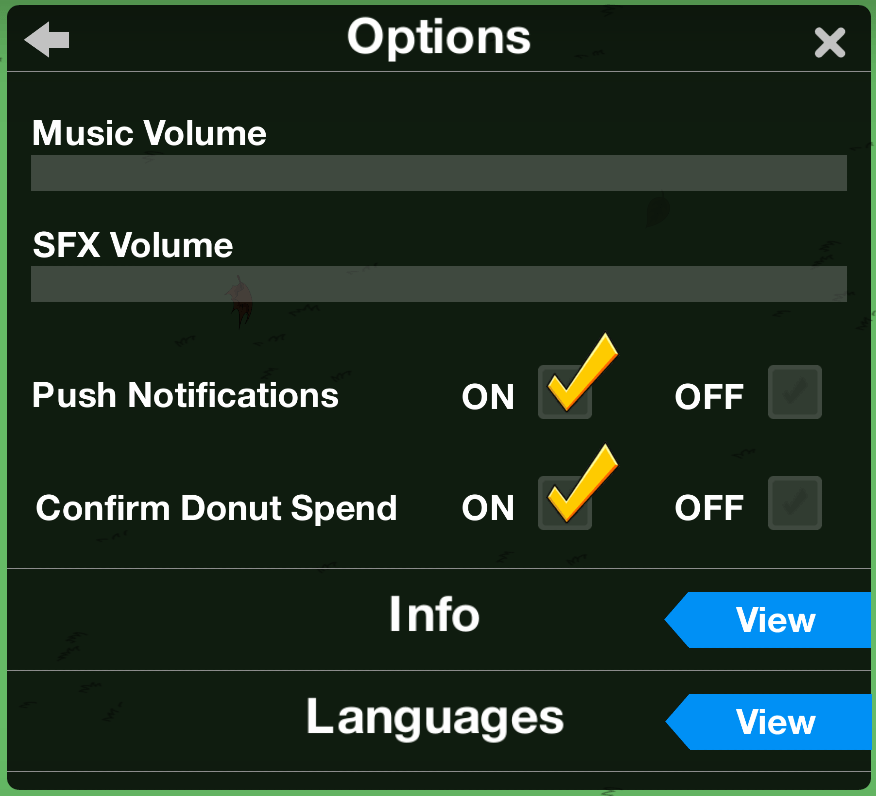
The Settings Cog Wheel Icon (Options). This is where you can adjust the in game volume, Character/Sound Effects volume, Push Notifications, set Confirm Donut Spend, Language, and more.
Now that you have the basic outline, let’s look into The Store Menu a little bit more in details of what you will see when you tap on them. These sections will vary on where YOU are in walkthroughs and what YOU have/have not purchased. Also keep in mind that many items will be in MORE than one place. So tap on that arrow and drag it across your screen to open up ALL the icons.

TOP ROW


MIDDLE ROW


BOTTOM ROW


On a side note, you will also see icons under the pop up. One to take you back to the other menus and one with a Homer Golden Statue.

So that about breaks down the Main Menu Store and the Categories inside of it. I will be posting similar for the Inventory and Krustyland as well. So stay tuned.
As always, we are here to help in anyway we can. (I even try to harass…errr…I mean contact EA on our readers behalf to see if there is anything more I can find out too.) Just keep hanging in there. Changes happen. We will all get used to it eventually. 😉
***Bunny****