
Update 7/27/16 (from Alissa): Here’s the current direct link to contact EA: Contact for TSTO. Sorry this is the US link, but I believe it should help even if you’re in another country.
Bunny here. Putting on my glasses, getting out my pocket protector, and getting my magic fingers and thumbs ready to type those zeroes and ones. Basically…it’s Nerdy Time!!
For whatever various reasons, our game likes to frak with our minds and heads and nothing seems to quite go right. We panic. Throw our device. Scream. Yell. There may be many tears as well. Just slowly take your thumbs/fingers off the device or you may crack the screen. Lol. It’s ok. I am here to help. All of us are. Promise.

In this edition I will be covering probably one of the most asked questions I get. How do I contact EA?
I usually suggest contacting EA as a last resort. There is reason for that. EA will have you try the basic methods of troubleshooting before going any further on an issue. So I like to suggest to try the basics and then contact them if that didn’t work.
Since you are here, I assume you tried those basics. So without further annoyance from me…I will get to the point.
UPDATE 3-12-14. EA has changed the way you contact them. The version that follows is recent as of today. I have also noticed that some of the “options” to have them contact you are disabled during heavy peak times (like just after an update is launched.) So just keep checking back.
First of all, there is a main hub online for EA to see if others have reported the issue and if there is a fix. That can be found here… https://help.ea.com/en/the-simpsons/the-simpsons-tapped-out
The link above will take you right to the starting point of contacting EA for The Simpsons Tapped Out. Keep in mind you WILL need to log in using your Origin Account (same as logging into your game). This helps them keep track of the progress of the issue and access your game information to better help you troubleshoot.
The first thing you will need to do is start breaking down the issue. You will need to “Select A Topic”. Tell them the reason you need to contact them. Like “General Troubleshooting”.
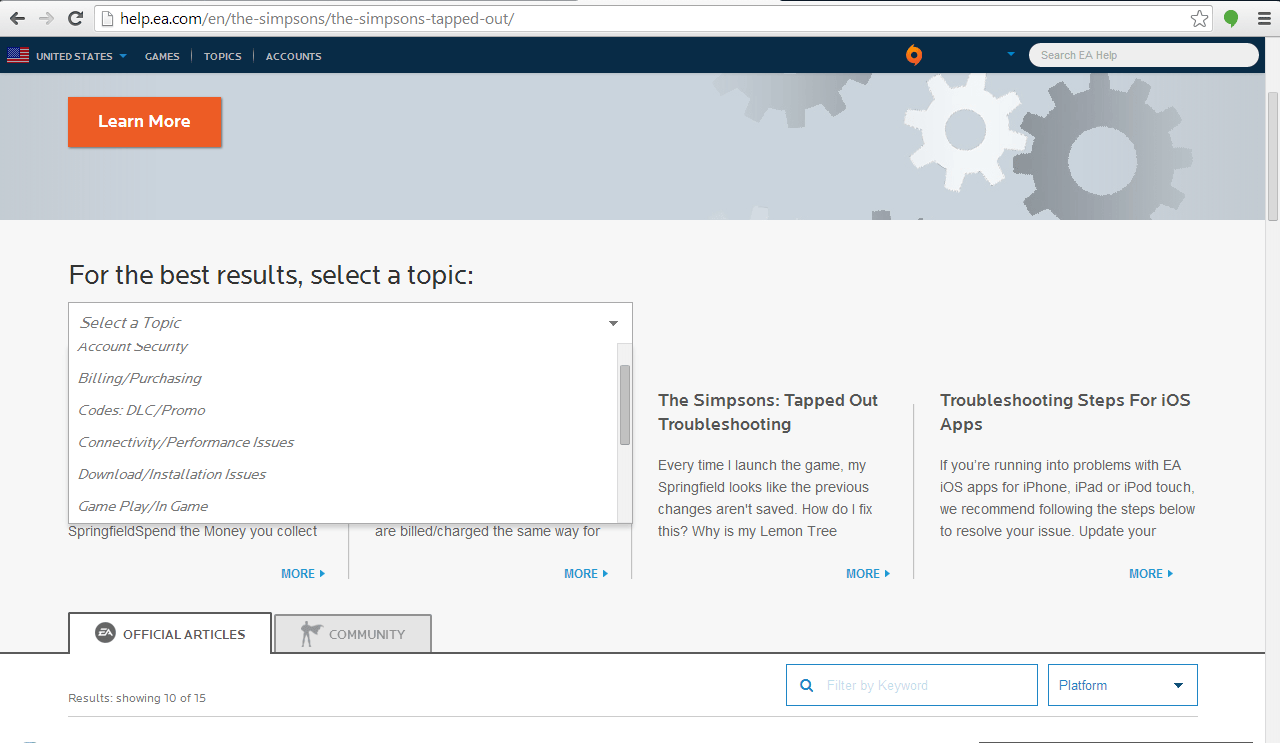
Once you make the selection, the boxes below will change with some similar issues that have been solved and may help you out.
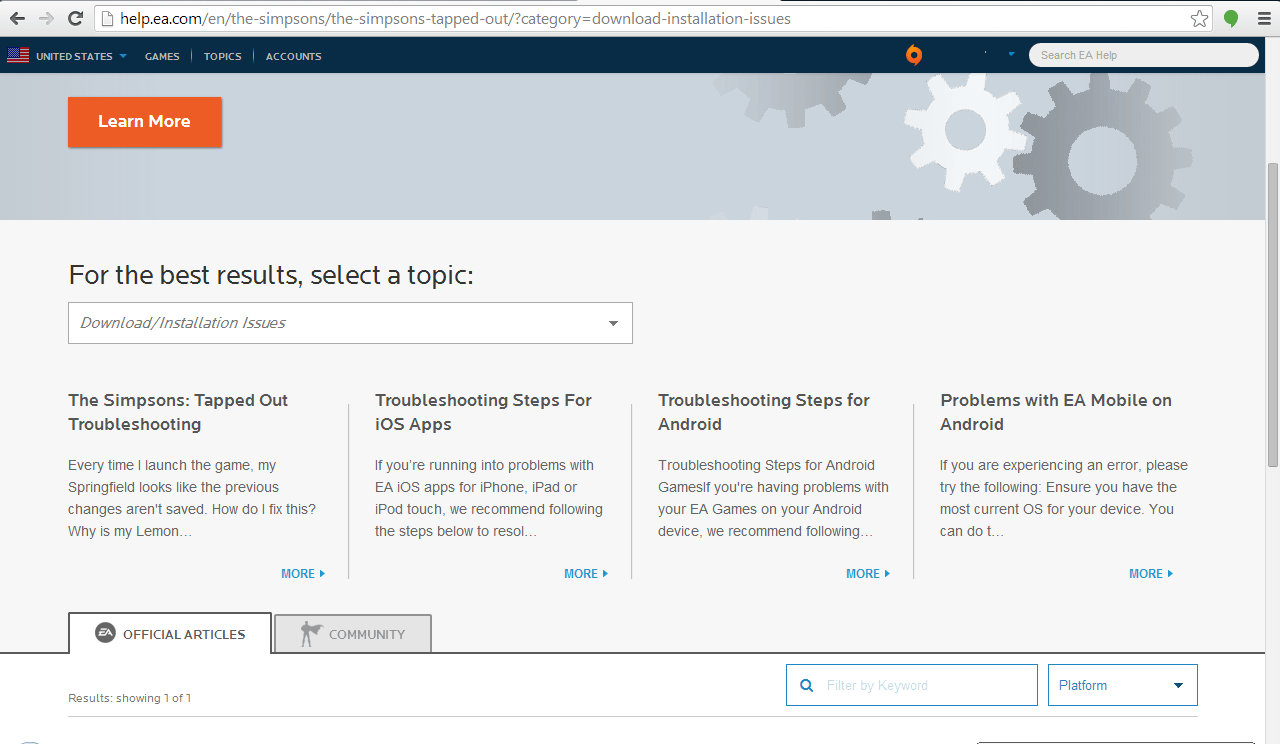
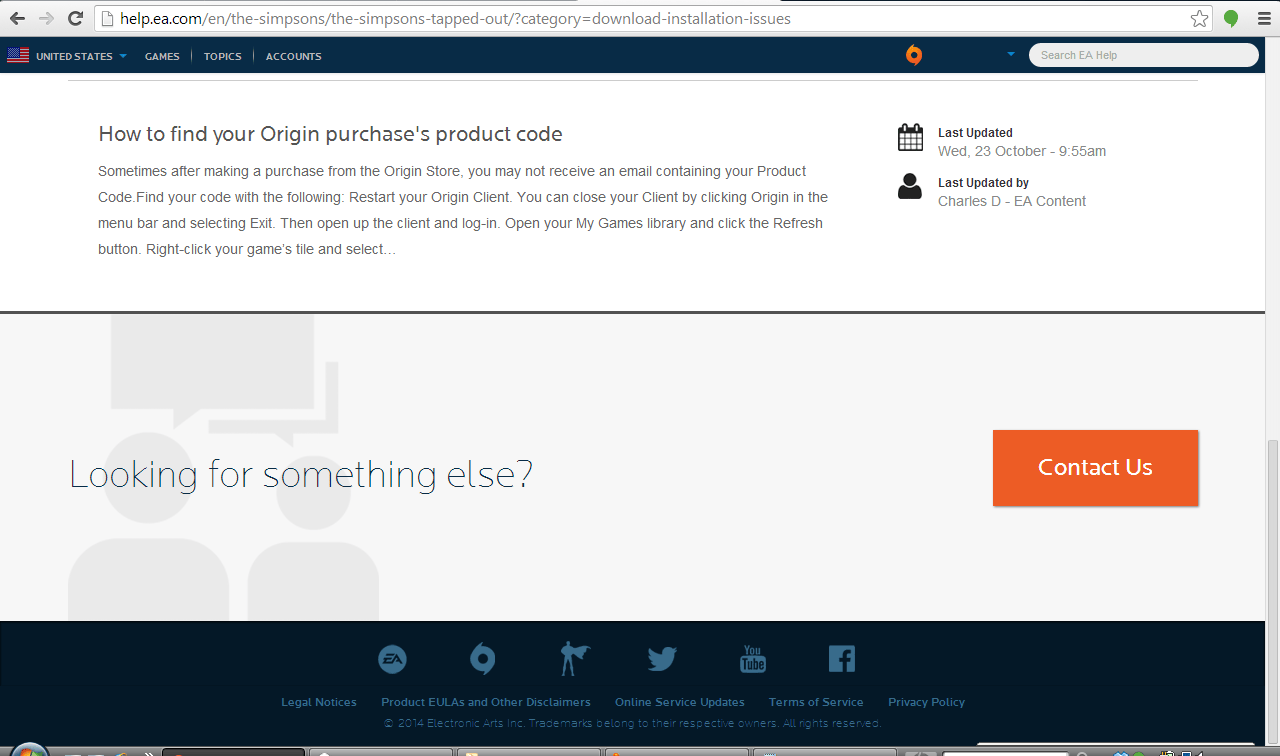
Still nothing? No help? Just scroll down the page and you will see a “Contact Us” on the bottom right hand corner. Click on that.
If you have an open case or had recently closed cases with EA, they will show on the next screen and give you the option to “Resume the Conversation” if you still need help on those items. If you don’t, and this is a new issue…then go to the lower right again and select “New Conversation”.
You will again see some helpful tips and topics on the side, but from here you need to select the device or “Select a platform” you are using that you need help with. Once you select it, the tips area will change to current issues with that device.
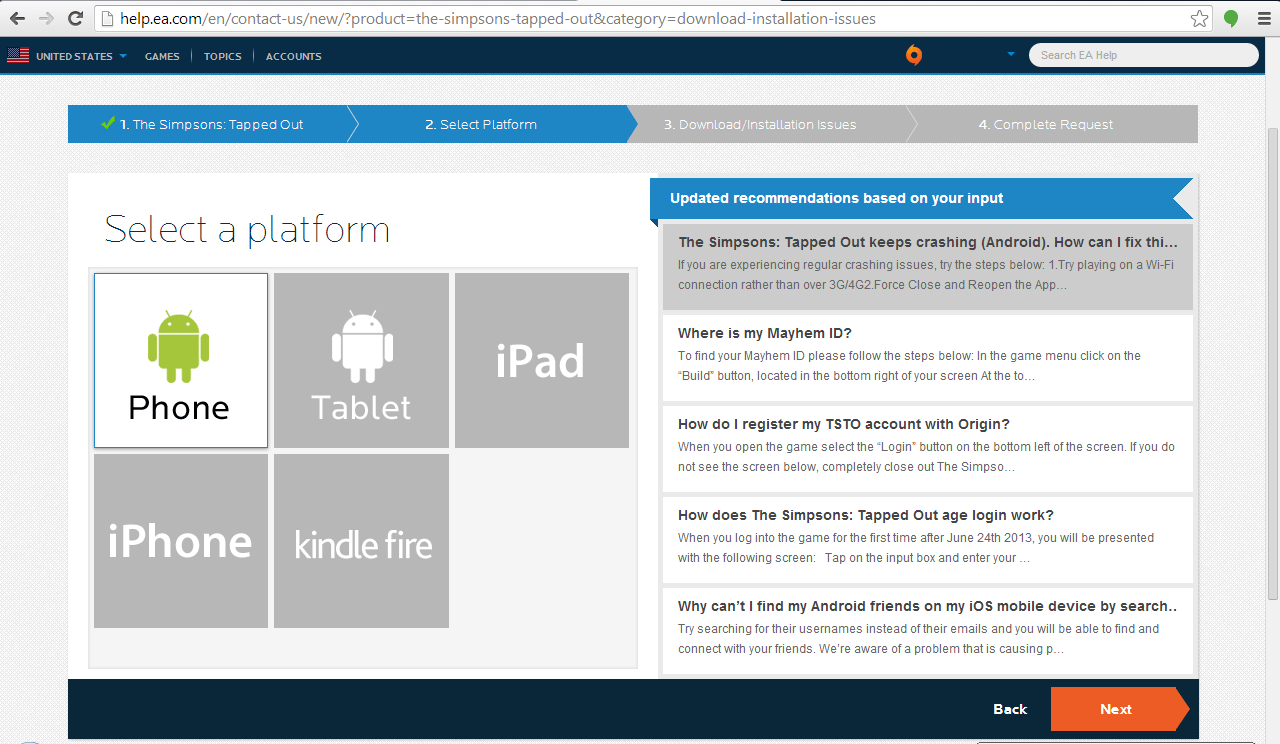
Still need help? Scroll to the bottom right again and select “Next”.
The screen to the center left will change and ask for a brief description of your issue. Fill in whatever the issue is that you are experiencing. Like, “Lisa has gone missing from my game”. Once you type the information in, the “Next” will be available to be selected again.
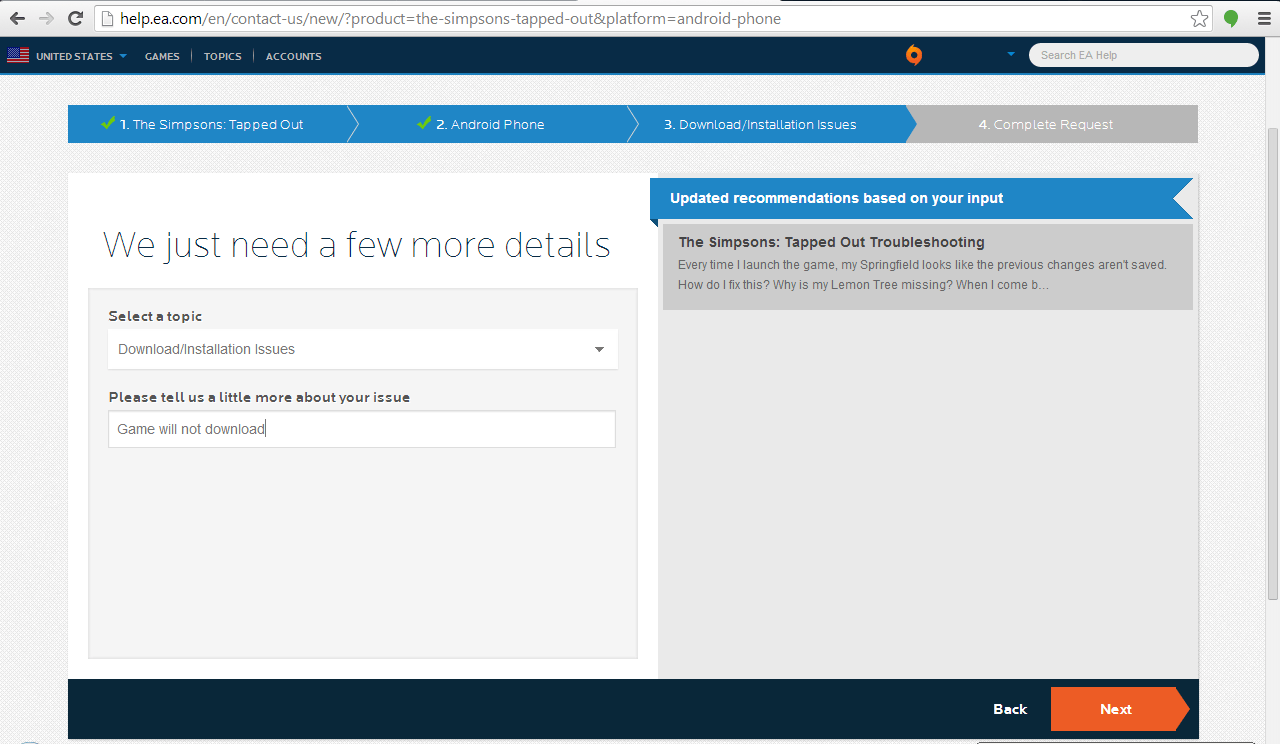
Now you will be shown a screen of contact options. Most of the time you will ONLY see “Email Me”. You will be taken to a screen to fill in all your contact info from there. (You can even attach pictures if needed, so take screenshots if you think it applies.)

There are times when other methods are available such as “Live Chat” or “Call Me” and it will give you a listed time frame of how long before someone will call you. (They do stick pretty close to the time frame they say. The number comes up as belonging to Electronic Arts when they call me and usually an 800 number.)
Now for the waiting game. I know it is hard and frustrating to not be able to play. If you are on our site, you are most likely just as Addicted as us and time is precious. You need your TAP TAP TAP fix. We get it. Just have a lil patience with them. There is a small amount of agents handling the responses compared to the millions of users. They are good at getting back initially pretty fast. They do work really hard to help out all they can.
Let us know if this has helped you out. Time now for this nerd girl to take off her glasses and go hide back in the corner where no one can see her.
HOPPY Tappin’
~Bunny~

All original art and content © Up All Night, LLC and TSTOAddicts.com
All Screen Shots of Game Graphics & Dialogue and Game Graphics from files ™ and © EA, Gracie Films and FOX


My server is always down now won’t let me load my game and i have a connection miss playing it love the game can u please help me resolve the problem would appreciate it thank you
Try uninstalling and reinstalling if you have an EA account. If that doesn’t work contact EA…
My red poker chips show up as over 18k on my main game screen but only a little over 11k on prize tracker. I tried contacting EA but the only option it gives me athe the end is to go to answers HQ. Which, when I click it, brings me there without submitting anything to them. I don’t know what to do. That’s a big difference in chips. I have screen caps to show it but I don’t know how to show those here.
http://tstoaddicts.com/2016/02/25/casino-event-101-my-chip-count-doesnt-match/
Well, I feel silly now, but thanks. 🙂
Just a FYI… I am having issues with the World’s Largest Redwood Pt. 3. The characters are not showing up on the job list, and I have read some others have had the same issue. So I called EA Customer (NON)-Support. I had to tell the man on the other end of the line at least half a dozen times what my issue was and he did not understand and kept trying to tell me I needed to finish a quest or get Jesse Grass in order to continue (and spent a lot of time on hold for him to ask someone else). I explained I was in the middle of the quest part 3 so there wasn’t something I didn’t finish or tap on that I had to do in order to continue “THE CHARACTERS ARE NOT SHOWING UP ON THE JOB LIST” but for some reason he could not understand this. I went round and round with him on my issue and in the end he said that they would work on trying to figure out a way to solve the issue and let me know by email, at some point… I did read on one of their help blog pages that the only fix to this issue right now is for them to roll back your game to a point before the glitch, which I would be kinda upset since the Casino Event has started and I would really hate to lose my progress in it and not have enough time to finish the event…
In conclusion, I am enjoying the Springfield Casino Event and not too worried about upgrading the tree…
I agree. The Tree is a side option here to stay. Leave it for now, they will patch it eventually. Focus on the main event.
UPDATE… I guess with the last update my World’s Largest Redwood task has been fixed and gone back to normal so now I can send Tony to finish part 3 since Lisa is at the Casino!
On level 58 Simpsons Tapped Out restarted back to level 1, why??? Please HELP!!!
Did you have an account to save your game? (EA/Origin account) Are you on an Apple device?
Yes, I’m on Apple iPhone. I play anonymously for years! Totally upset with EA Games!!!
See the thing is…there’s a task in the game to create an account. Have you just ignored that task for years? When playing anonymously there’s no way for EA to save your game on your server, since your progress is only on your phone. So anything that happens to your phone, including an Apple upgrade etc, can cause you to lose your progress.
Now some players have said they did a restore on their apple device of their backed up info and their TSTO game back back. Personally I’m not familiar with out to do that, but if you contact Apple or EA they may be able to guide you through it…provided you did the backup.
Thanks Allisa. Good advice. Prior to this happening I had iOS update on my phone. This is probably where the problem originated from! 🙁
I think that’s what’s happening to everyone. Because it seems to only be Apple devices. But if you get your game back…create an account, PLEASE. Save yourself the headache in the future 🙂 (especially if you’ve invested money in the game)
Has anyone else had trouble with Maggie and the hide and seek (or what ever it is called) as of last night I have had 3 total fail attempts, and what I mean is… I have found Maggie 4 times and got donuts for three of them I have found her an additional 3 more time and tap on her until time runs out and and don’t get the credit…
so officially I have been shorted counts because no matter how much I tap it does not register. never consistent also random.
Thanks
Mark
Tap the base of the building she’s on
I will try that…
Thank you!
Any news on the craftables from act one that were discontinued? I’m still a little sore that I didn’t craft the igloo whilst I had the chance, but was waiting in case I had to craft something for the weekly task – and didn’t want to waste currency on something I didn’t want… sorry… rant over! Merry Christmas!
I dunno… I’ll have to see if Kent Brockman has any News on the 5 O’clock broadcast.
If not, we may see something from Arnie Pye later. 😉
le defi du joue c est placer le stand a sapins biscornus moi je l ai place hier et ca ne me le compte pas pour mon defi du jour
http://tstoaddicts.com/2015/12/20/christmas-trees-slightly-irregular-week-3-challenge-bug/
I lost over 70,000 donuts somehow. .merrryyyy christmass, but bahh humbug now
Well..I suspect those 70k donuts were not paid for and obtained in ways that violate EA’s Terms of Service. So losing them…well that’s probably EA’s way of taking back that which you didn’t pay for…
Crafted “X-mas Trees Slightly Irregular” earlier. Now it the first of a weekly challenge and it can’t be sold/re-crafted/got rid of. How are we to complete the challenge?
You have to contact EA
Petting zoo is saying not avalable
So play the questline to unlock it.
I’m not happy the items have gone I needed the ski building not happy at all
Is there another way to actually contact them? Going through that form just gives me the option to post in their forums, which doesn’t help 🙁
Scrolling to the bottom gives you a contact us option…that’s the only way to contact them. But you can try this link, see if it works better
http://help.ea.com/en/contact-us/new/?product=the-simpsons-tapped-out
I finally figured it out, it doesn’t let you contact them if you say it’s a bug issue, have to call it something else :-p
On 22/10/15 I paid £7.99 for doughnuts but didn’t receive them yet paid the same on my other devise and got them please can you sort this out
No. I cannot sort it out. We’re not EA. I have zero ability to go into your game and correct it. What I can suggest doing is contacting EA and asking them for help
http://help.ea.com/uk/contact-us/new/?product=the-simpsons-tapped-out
It’s been a day and a half and I can’t get past the load screen. It keeps shutting off. I log oitnof my account and it goes through fine. I log in and it freezes or shuts off. I’ve tried uninstall and reinstalling it but it don’t work please help ASAP.
There’s nothing I can do. Youll have to contact EA. They’ll have to go in and see what’s going on with your game specifically. What I can tell you is, it’s not just you. It’s going around…
How can I contact them. I’ve tried but no luck in finding a number a a place to email them
You can’t call them…
http://help.ea.com/en/contact-us/new/?product=the-simpsons-tapped-out
Try checking your memory space. The same exact thing happened to me that I almost gave up playing TSTO after multiple attempts at re-installing it. On my last attempt, I deleted the app altogether with a few bunch of other apps. I gave it another last try and it worked! So, I’m guessing it must have something to do with freeing up storage space in my iPhone.
My wife cannot get past Call of the Campfire, part 5. She’s completed the zombie tapping and the kid-sending portions of this quest, but the game will not recognize the “collect event currency” trigger. We are aware of the need to collect respective brain/egg/ears/bones to upgrade the campfire, but this is something else entirely; but she’s still stuck on Zombies only. My belief is that she’ll need to have her Halloween re-set, but EA’s online help no longer grants us the e-mail or phone options they used to list – only their useless 24-hour forum, which is frustrating. Please help.
Their phone/chat could be down right now.
Try going to krustyland and back. If that doesn’t work you’ll have to try to contact them again. We’re seeing these happen with several players..and unfortunately only EA can restore it.
Thank you. Krustyland/syncing has been no help; that’s already been checked at least 2x per day. We haven’t been able to access EA e-mail or phone support for more than a week on either of our accounts, to boot. Kafkaesque.
Try following these methods
http://tstoaddicts.com/2014/01/14/troubleshooting-101-contacting-ea/
I don’t believe that EA has any interest in patching a week-old bug that few others are having. The patch released 30 minutes ago did nothing, by the way.
How do you know how many are having the bug? You might think it’s a few but it could be thousands. They want their game to work properly. So by reporting it they can attempt to repair it
“Try following these methods: http://tstoaddicts.com/2014/01/14/troubleshooting-101-contacting-ea/”
Unfortunately, we have. We have with all three of our accounts across several days this past week. The only option offered to us on the “How Would You Like To Contact Us?” page is the Answer HQ Forum, which cannot help us re-set her Springfield (unlike in the past, when I could select from e-mail or a phone call, as well – and had received support via both methods). Answer HQ is literally the only option either of us can now select. We’ve posted in both the Answer HQ Forum and EA fan forum. There has been zero response.
I have an Android, I can’t add friends by username. It says email only. I have an origin id
Happens sometimes. Should still be able to add them by username tho. I’d contact EA.
I earned the rail yard so I can still earn new tracks. I just went past 50,000 points and I wasn’t given the 5 rail pieces I earned. I am now at 54, 873 and nothing. Also, I have noticed that some of my buildings aren’t earning $ and xp like they should. The timers seem to be stopping. My brown houses aren’t earning $ and xp as often as they should. Please help! Thanks!
Just saw your post and link below. Going to a friend’s town fixed the track issue. Thanks! Still not sure why I’m not earning $ and xp like I should.
Read this post
http://tstoaddicts.com/2015/09/16/common-bugsglitches-since-monorail-removal-update-hit/
This is the second Tim I’ve missed out on 5 donuts for the monorail. I’ve been trying to get into the game since 10:30am Irish time and till now have been unsuccessful. What are you going to do about this.
Hi. Welcome to the Addicts. We have nothing to do with EA so WE can’t do anything. 😉
http://tstoaddicts.com/about/
I’d suggest contact them… as outlined in this post you’re commenting on. 🙂
As for server…
http://tstoaddicts.com/2015/09/20/severs-down-bart-screen/
I have Uninstalled and redownloaded. It will not let me collect track 2 at rail yard. It keeps filling up the bar it’s past 15000 now
It’s a sync issue…check out this post
http://tstoaddicts.com/2015/09/16/common-bugsglitches-since-monorail-removal-update-hit/
I have lost all my level 57 progress as we ll as it shows I have collected money from all my house when in fact I have not. Also will not give me my track pieces even though I have collected. And I have a character missing as we ll. So not haooy
Read this post
http://tstoaddicts.com/2015/09/15/monorail-removal-is-live/
I’m pissed. I can’t log into my account. How do I contact EA? The poorly designed answer/question boards stink!
Only way I am aware of outside of the EA location we list here is to try their Twitter account.
https://twitter.com/AskEASupport
Thanks Bunny. Love your site.
Yup, my move icon freezes my game now, but it was working just fine 2 hours ago. Not sure if I want to visit my neighbors now to get the 5 track bonus from the Rail Yard today. I can only imagine the anticipation of so many trying to make that last dash to win the last prize. Good luck gang!
So upset. Been saving my donuts forever! Just lost 201 donuts in seconds. Must of hit the wrong button, noticed immediately and hit cancel right away but too late! They we’re gone ! Wanted to cry!!! Please tell me how to get them back!!! Thank you!!!
Contact EA see if they can help…
I don’t think you can unfortuanely, if you feel like it contact EA but if not then there is no other way. Maybe try uninstalling the game then installing it. NOTE- If your town does not appear when you install the game again log into your origin account. If that does not work then you really should contact EA, it’s a pain in the a** but I heard if you contact them about ANY issue than they give you 20/30 free donuts. I know that is nothing compared to 210 but it’s a start. I am not implying people just contact EA to get free donuts because I am pretty sure if there is no problem they will not give you any donuts. Hope I helped 🙂
PS- If you have not already tap Homer once then tap him 10 times repeatedly you will get 10 donuts and the Jebadiah statue.
My god!! contacting EA is a pain in the ass but at least they were really helpful and resolved my problem immediately.
I concur
After the Springfield heights update I lost 102 donuts and left with 3 fix this
We are not EA. If you need help… follow as it is instructed in this very post you are commenting on… reach out to EA for help.
I lost about 90 donuts..
Make sure you go through the process of letting EA know explained in this post.
I hope I you can help. My frustration level is quite high right now. I’ve had 23 donuts vanish from my Simpsons Tapped Out account.
I logged in to the EA site to register my comment. I enter all my info and explain my complaint and hit the “next” button, and then it asks me to log in to the site.
1. I’m already logged in to the site.
2. Other than text saying I need to log in to the site, the website doesn’t actually provide me a way (on that screen) to log in to the site. Every time I repeat the process, the same thing happens.
What do I do? I’m about to throw my laptop against a wall.
You may have to just log in again, it should popup right there. But it could have to do with your internet browser..might not show it.
I lost 18 donuts
Make sure you go through the process of letting EA know explained in this post.
I just got off of a chat with someone at EA and they have no answers at present. You can keep telling them, but there’s nothing they can do about it right now. They were polite, but just directed me to their notice board where I couldn’t find anything except a locked thread saying they won’t take any more complaints about this for the time being.
I lost 125 donuts 😑😑
http://tstoaddicts.com/2015/07/23/the-great-donut-caper-missing-donuts-and-other-issues-with-springfield-heights/